
Pickleball tournament app features
Pickleball Scheduler keeps the operational parts of a round robin in one mobile workflow: set up the event, create the match schedule, record results, follow standings, and share the tournament. It is designed for the person running play at the courts—not for court reservations, memberships, RSVPs, or finding players.
What the app manages
| Stage | What Pickleball Scheduler helps you do |
|---|---|
| Event setup | Add the players, choose the available courts, select a format, and configure the event. |
| Match schedule | Generate rounds with matchups and court assignments. |
| Courtside scoring | Record results as matches finish. |
| Standings | Follow the leaderboard as results are added. |
| Sharing | Share the tournament information from the organizer workflow. |
| Mobile access | Run the dedicated app on iPhone or Android. |
Current app screens and store listings are the source of truth for available options, purchase terms, and platform requirements. We do not publish fixed player limits or regional prices here because those details can change.
Round-robin formats
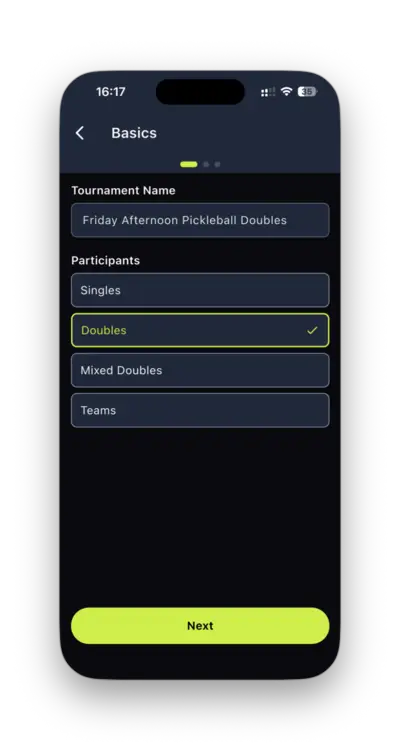
The app includes setups for classic round robin play, rotating doubles, mixed doubles, and teams. Choose the format that reflects how the group will compete, then use the generated rounds as the working match plan.
Classic round robin
Create a singles or doubles event in which the schedule rotates competitors through the rounds.
Rotating doubles
Use an individual format when partners change between rounds and the organizer needs player-level standings.
Mixed doubles and teams
Set up the event around mixed pairings or fixed teams, then keep the schedule and results together throughout play.
Match schedules and court assignments
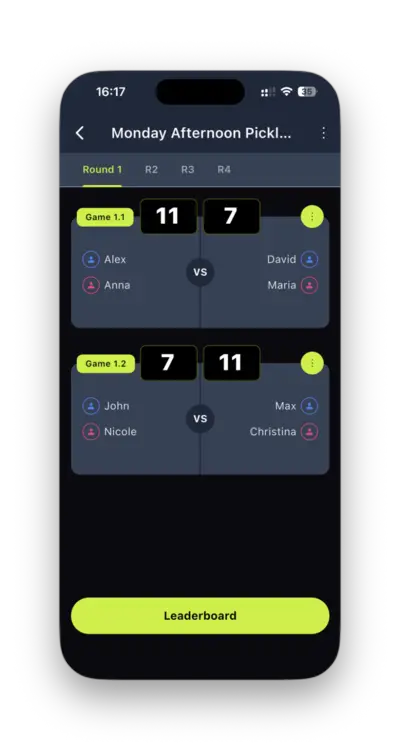
The mobile match view puts each round, matchup, score, and court assignment in one place. That gives the organizer a working courtside plan without repeatedly rewriting a paper chart or manually rebuilding a spreadsheet after results arrive.
Score entry and standings
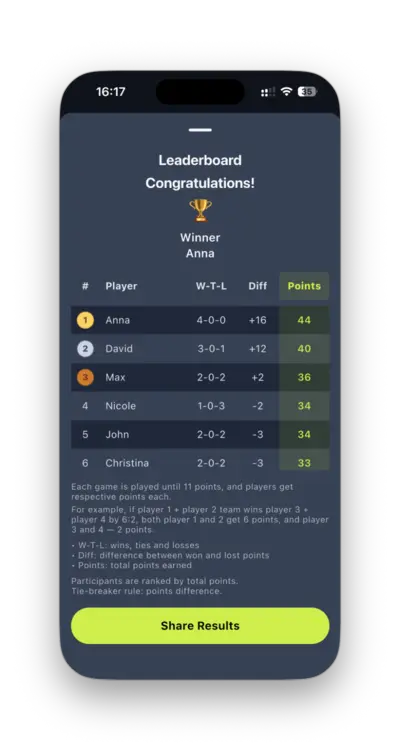
Record completed results in the app and use the leaderboard to follow the event. Keeping score entry next to the schedule reduces the number of separate tools an organizer needs during a session.
Pick the right version
The dedicated Pickleball Scheduler app is available from the Apple App Store and Google Play. It is free to download and offers optional in-app purchases. If you prefer an online browser tool, the related Bracket Maker experience is available separately.
- Read the step-by-step organizer workflow.
- Compare Pickleball Scheduler on iPhone and Android with Bracket Maker on the web.
- Return to the Pickleball Scheduler app overview.