
How to run a pickleball round robin from your phone
Pickleball Scheduler turns the organizer's tournament workflow into a short sequence: choose the event setup, add the players and courts, generate the rounds, record results, and follow the standings. This guide covers match scheduling inside an event; it does not cover booking facilities or collecting RSVPs.
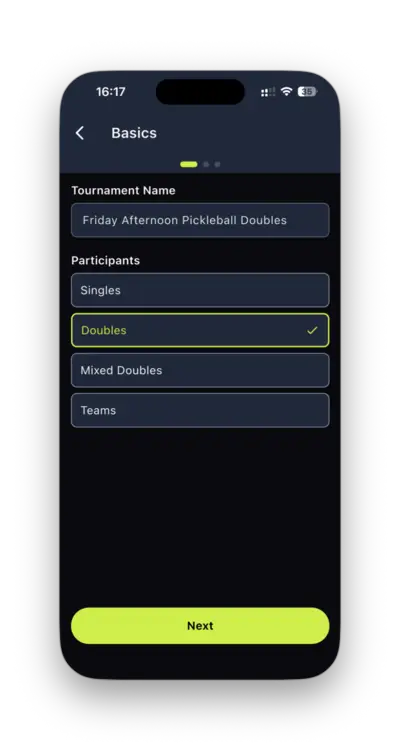
1. Choose the event format
Start with the way the group will compete. Pickleball Scheduler includes classic round robin, rotating doubles, mixed doubles, and team-based setups. The right choice determines whether competitors stay together or rotate during the session.
Before creating the schedule, confirm that the player list and the courts available for the session are correct. Pickleball Scheduler plans the matches that take place on those courts; it does not reserve the facility.
2. Configure the tournament
Add the players, choose the courts, and review the scoring and ranking options available for the selected format. This is the point to make the event setup match the rules your group intends to use.
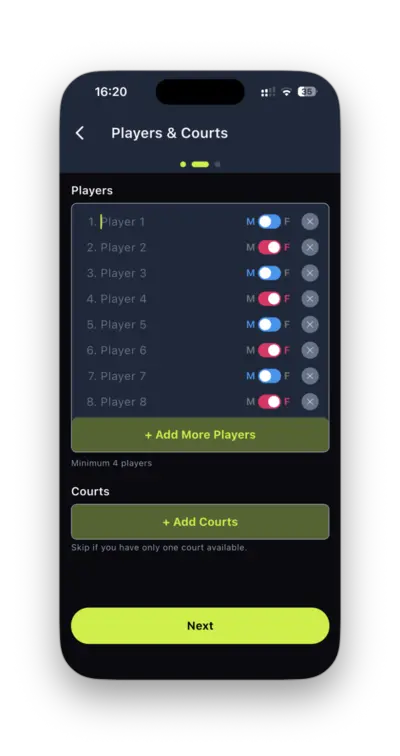
The current app screen is the source of truth for the options and limits available on your device. Avoid relying on an old paper template or a saved screenshot when the in-app setup has changed.
3. Generate and review the rounds
Create the schedule, then review the matchups and court assignments before play begins. The mobile match view gives the organizer one place to see what is happening in each round.
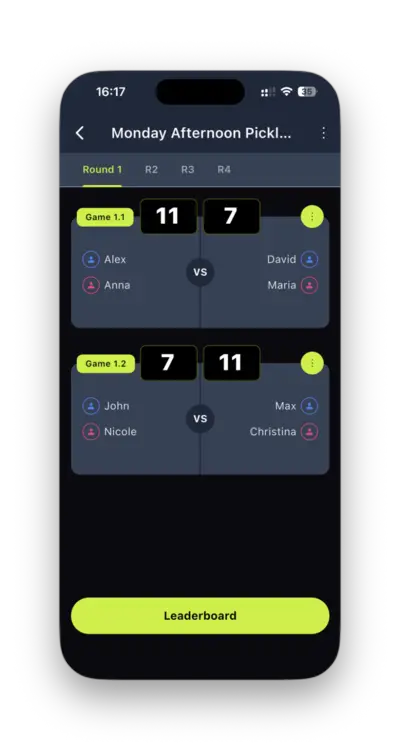
If the player list or available courts change before the event starts, return to the setup and confirm the schedule again rather than announcing matchups from an outdated version.
4. Enter results as matches finish
Use the same event to record completed scores. Keeping the results beside the schedule makes it easier for the organizer to follow progress without maintaining a separate scoring sheet.
5. Follow the standings and share the event
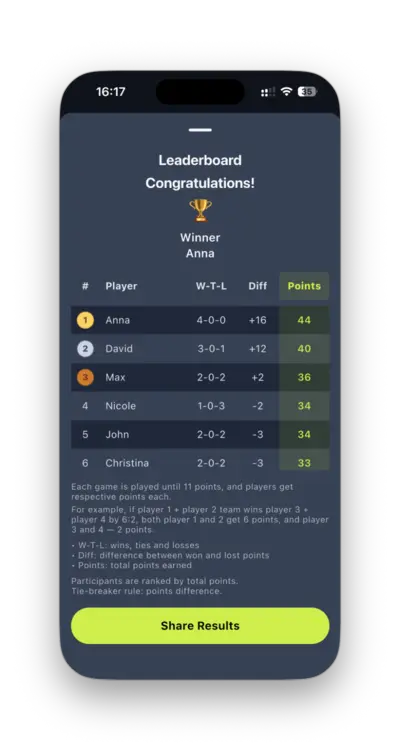
Open the leaderboard to follow the standings as results are added. The app's store listings also describe tournament sharing, so the organizer can share the event through the current app workflow.
Continue from here
- Review every Pickleball Scheduler feature.
- Decide between the mobile apps and the related browser tool.
- Return to the Pickleball Scheduler overview.
Pickleball Scheduler is free to download, with optional in-app purchases shown by the store for your region. Download it for iPhone or get it on Google Play.